Simpliant Dictation for your devices
First create an account and start the trial in your customer area; then download the app for Windows or macOS here. The installers are signed and freely available, and the app keeps itself up to date. To dictate, connect the app to your account: click “Im Browser anmelden” (sign in with browser) in the app. The apps have a German interface.
Notes on the first installationWindows SmartScreen, macOS permissions, Microsoft Edge
- Windows
- For new versions, Windows SmartScreen may show “Windows protected your PC” on first launch until the file has built up enough downloads. Click “More info”, check that the publisher is “Simpliant Technologies GmbH” and choose “Run anyway”. If a different publisher or none is shown, do not run the file and contact us.
- macOS
- The app is notarised by Apple. Drag the app from the installer window into the “Applications” folder. When you open it for the first time, macOS asks whether you want to open an app downloaded from the internet; confirm with “Open”. On the first dictation macOS also asks for “Accessibility” permission. Without it the dictation key has no effect; you find the setting under System Settings → Privacy & Security → Accessibility.
Downloading in Microsoft Edge
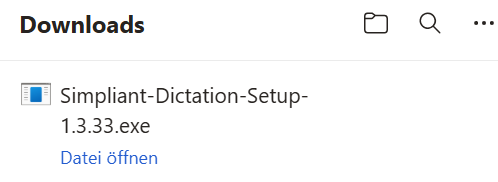
After the download, Edge shows the installer in its downloads list; “Datei öffnen” (open file) starts the installation. If Edge initially holds back a brand-new version (“isn’t commonly downloaded”; this only refers to how often the file has been downloaded so far, not to the signed file), choose “More actions” (three dots) and “Keep” on the entry, then in the dialog that follows the arrow next to “Delete” and “Keep anyway”, and open the file.
After the download: connect the app
The app starts after installation but only dictates once it is connected to your account. To connect it, click “Im Browser anmelden” (sign in with browser) in the app and confirm in your customer area. Alternatively, generate a connection code there under “App & devices”. You start the trial in the customer area with a credit card: 30 days, 10 hours of dictation included. The conditions are on the pricing page.
The offer is directed exclusively at entrepreneurs within the meaning of Section 14 of the German Civil Code (BGB).