Dictation software for Windows and macOS

Speak instead of typing.

Hold Caps Lock and speak in German: the text appears at your cursor, in Word, Outlook or your legal or practice software. Confidential under Section 203 StGB.

10 hours of dictation in the trial · then €35 per user per month, excl. VAT

Contract and data at a glance

  • Confidentiality under Section 203 StGB and Section 43e BRAO
  • Servers in Germany
  • Dictations are not stored
  • Windows 10/11 and macOS 12+

For law firms and medical practices

Law firms

Dictate briefs, file notes and statements straight into Word or your legal software.

Spoken (German)
wir beantragen die frist zur klageerwiderung um zwei wochen zu verlängern
Inserted like this
Wir beantragen, die Frist zur Klageerwiderung um zwei Wochen zu verlängern.
More for law firms

Medical practices

Speak findings, doctor’s letters and progress notes, including medical terms. The text also appears in your practice software.

Spoken (German)
die patientin klagt seit drei wochen über zunehmende belastungsdyspnoe
Inserted like this
Die Patientin klagt seit drei Wochen über zunehmende Belastungsdyspnoe.
More for medical practices

From dictation to finished text

Until now

  1. 1Speak into a dictation device
  2. 2The office transcribes it
  3. 3Correct the transcript
  4. 4Copy it into the file

With Simpliant Dictation

  1. 1Place the cursor and hold the key
  2. 2Speak
  3. 3Done: the text is in your document

Screen recordings

Three unedited dictations in Word, on a Mac and on Windows. The app’s status panel at the top right shows that recording is running.

Video: dictating a file note in Microsoft Word

Word shows a file note (Aktenvermerk) with the cursor below the heading. The Caps Lock key is tapped twice, and the app’s status panel at the top right shows that recording is running. After speaking and tapping once to stop, this text appears at the cursor (in German): “Mit der Mandantin telefoniert, sie schickt die fehlenden Unterlagen bis Freitag. Dann melde ich mich wegen des Termins.” A second dictation adds: “Der Termin beim Steuerberater wird auf Dienstag, den achtzehnten November, um vierzehn Uhr verschoben.” The filler “äh” that was spoken does not appear in the text.

Law firm: a file note on a Mac
Video: dictating a brief to the Hamburg Local Court in Microsoft Word on Windows

On Windows: Word shows a brief to the Hamburg Local Court. The dictation key is tapped twice and the app’s status panel at the top right shows that recording is running. After speaking, this text appears at the cursor (in German): “Sehr geehrte Damen und Herren, in der oben genannten Sache zeigen wir an, dass wir die Beklagte vertreten. Wir beantragen, die Frist zur Klageerwiderung um zwei Wochen zu verlängern.”

Law firm: a brief to the Local Court
Video: dictating a doctor’s letter in Microsoft Word on a Mac

On a Mac: Word shows the letterhead of a doctor’s letter. The dictation key is tapped twice and the app’s status panel at the top right shows that recording is running. After speaking, this text appears at the cursor (in German): “Sehr geehrte Kolleginnen und Kollegen, wir berichten über die ambulante Vorstellung Ihrer Patientin am heutigen Tag. Die Patientin klagt seit drei Wochen über zunehmende Belastungsdyspnoe. Das EKG zeigt einen Sinusrhythmus ohne Erregungsrückbildungsstörungen.” (“Dear colleagues, we are reporting on today’s outpatient visit of your patient. The patient has been complaining of increasing exertional dyspnoea for three weeks. The ECG shows sinus rhythm without repolarisation abnormalities.”)

Medical text: a doctor’s letter

Names, data and codes in all videos and images on this page are made up. The apps dictate German.

Quality, measured

Precise with statutory sections, amounts and deadlines. Measured, not promised.

A wrong filler word hardly matters. A wrong section number or a lost “not” does. That is why we measure exactly these spots. In a comparison of eight speech recognition systems, the one in Simpliant Dictation is in the leading group.1

  • 78 of 82

    critical spots recognised correctly: sections, amounts, dates, negations. The second-best result in the comparison.1

  • 2.2 in 100

    words differ, in legal text.1, 2

  • 0.7 seconds

    typical processing time on the server per dictation.3

  • Your wording stays

    AI correction smooths punctuation and spelling. If the server detects a change in meaning, your dictation applies.4

  1. 1Measured on November 7, 2026 with 13 German legal dictations spoken by synthetic voices (1,786 words), eight speech recognition systems under the same conditions, with the speech model used in Simpliant Dictation today. Only speech recognition was compared, not the apps. Real dictations with room echo and slips of the tongue are harder.
  2. 2Word error rate 2.2%: 39 of 1,786 words wrong, missing or added, after normalising spelling (“9” = “neun”).
  3. 3Median server processing time for 747 dictations of up to 30 seconds on Windows and macOS, 17 to 19 November 2026; 95% were below 0.97 seconds. Excludes transfer to the computer and insertion.
  4. 4The server checks every AI correction for changed negations, amounts, deadlines, sections and names and discards suggestions in which it detects such a change.
How we measured

Thirteen German legal dictations – extracts from the Civil Code, Criminal Code, GDPR and Commercial Code, two Federal Court of Justice decisions and four fictitious law-firm dictations – were spoken by four synthetic voices, 15:43 minutes in total. Each of the eight speech recognition systems received each file once, in German and without a dictionary. We evaluated the word error rate and 82 check points: sections, amounts, dates, case numbers and negations. Only speech recognition was measured, not the app.

Security

The path of your dictation

  1. 1

    Your computer

    The app records while you dictate and sends the recording encrypted.

  2. 2

    Servers in Germany

    Our service in a data centre in Germany receives the recording via TLS.

  3. 3

    Speech recognition in the EU

    An AI provider based in the EU recognises the text. Zero data retention, no training on your dictations.

  4. 4

    Your document

    The text appears at your cursor. We do not store the recording or the text.

  • DPA under Article 28 GDPR
  • Confidentiality under Section 203 StGB
  • TOM as PDF
  • Provider based in Berlin

Set up in three steps

First, create an account in the customer area and start your trial.

  1. 1

    Install

    Download the app for Windows or macOS under “App & devices” in the customer area and install it.

  2. 2

    Connect

    In the app, choose “Im Browser anmelden” (sign in with browser) and confirm the sign-in in the customer area.

  3. 3

    Speak

    Place the cursor, hold Caps Lock and speak. The text appears where your cursor is.

Pricing

One fixed price per user, 30-day free trial

You book Professional yourself in the customer area. For special requirements there is the Individual plan.

Bookable in the customer area

Professional

€35per user per month, excl. VAT
  • 52.5 hours (3,150 minutes) of dictation per month · Unused minutes expire at the end of the billing period
  • No minimum term, cancel at the end of any month
  • 30-day free trial, 10 hours of dictation included. Cancel any time before the trial ends.

Prices excl. VAT · business customers only

Individual

On request

For example with your own speech recognition service, integration into your systems, individual support, several seats or a separate server environment. We agree the terms with you in advance.

About the trial: credit card required. The card is checked with €0.01, which is refunded automatically. We remind you by email seven days before the first charge. Until then you can cancel in the customer area.

All the details on the pricing page

Answers before you start

Where is my voice data processed?
Our service runs on servers in a data centre in Germany. Speech recognition is handled by an AI provider based in the EU via its EU endpoint; processing takes place in the EU. The text for the AI correction “KI-Korrektur” takes the same route; it is switched on by default on Windows and on the Mac and can be switched off in the settings. The Mac app’s text levels, by contrast, work only on the device. The details are in the privacy policy and in Annex 2 of the DPA. Transmission is TLS-encrypted. Your recordings and texts are not used to train models. The data processing agreement under Article 28 GDPR applies to every plan.
Can I use the app if I am bound by professional secrecy?
We agree to confidentiality under Section 203 of the German Criminal Code (StGB) and Section 43e BRAO on every plan. You accept the agreement together with the Terms and the DPA when you start the trial or place an order. Professional is open to all persons bound by professional secrecy; Individual is available on request. What exactly we undertake is set out on the Security page, in the section for persons bound by professional secrecy.
Does the app work with my specialist software?
After the recording, the app inserts the text into the active program, where the cursor is: for example Word, Outlook, your browser or your legal or practice software. To do so it briefly uses the device’s clipboard and then restores its previous content.
Does the app recognise technical terms?
The app adds punctuation and capitalisation itself. You store names, technical terms and abbreviations in your spelling in the app’s “Wörterbuch” (dictionary). If you wish, add wrong spellings that the app replaces with yours after recognition. The list starts empty.
How do I cancel?
Professional is billed monthly with no minimum term. You cancel in your customer area under “Plan & billing” or by email to support@simpliant.eu, effective at the end of the current billing period. During the trial you end it in the customer area under “End trial”; nothing is charged then.

All questions and answers

Who is responsible

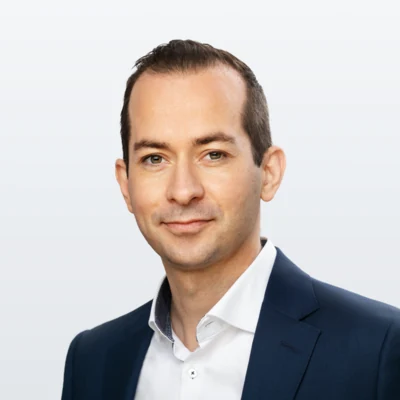
Steffen Groß

Steffen Groß

Lawyer, Managing Director

Steffen Groß is responsible for Simpliant Dictation. He is a lawyer specialising in data protection and IT law and Managing Director of Simpliant Technologies GmbH.

Get in touch

Simpliant Technologies GmbH

Fasanenstraße 12, 10623 Berlin, Germany · Charlottenburg Local Court, HRB 247115 B · Managing Director: Steffen Groß. The Simpliant group also includes a law firm for data protection and IT law and Simpliant GmbH (management consultancy).

About us

30-day trial, 10 hours of dictation included

Cancel any time before the trial ends. Send questions about the DPA, the confidentiality agreement or several seats via the contact form.